

NaNoWriMo: Software
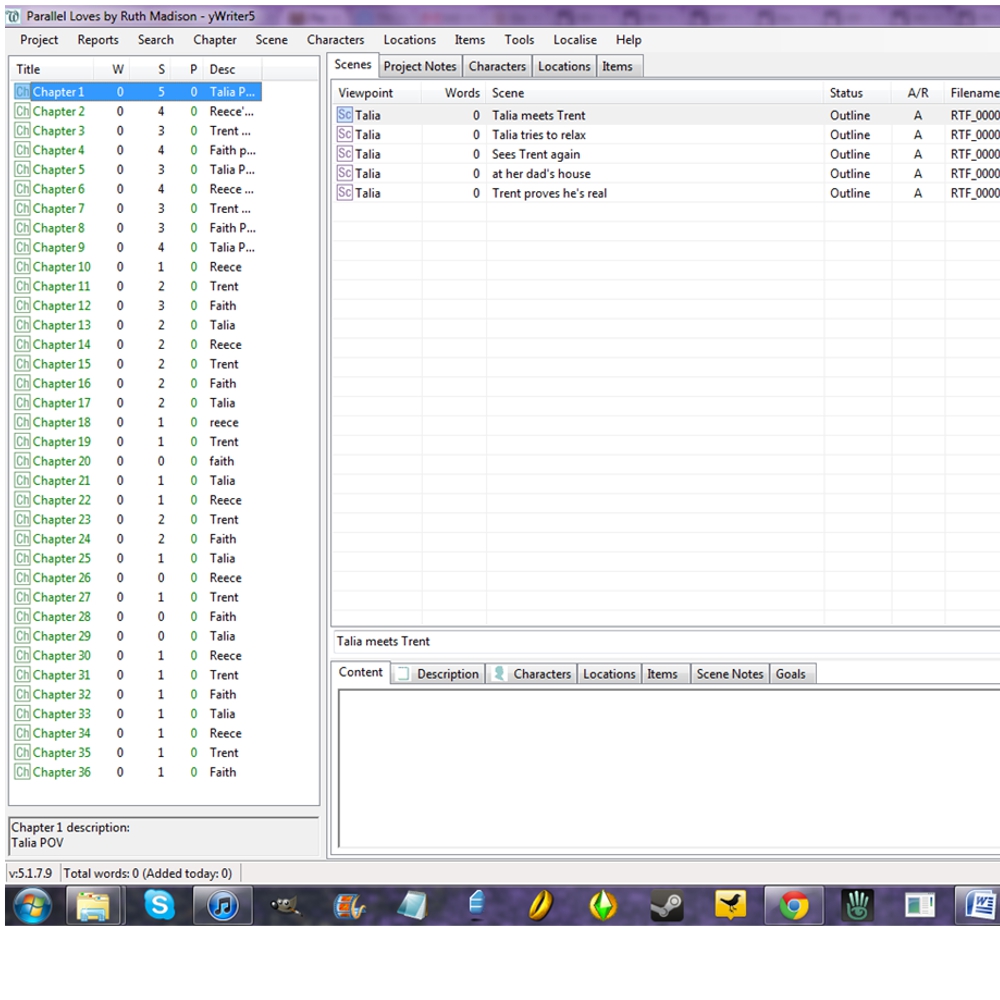
Before I started NaNo this year I did some reading about what other people are doing with it. One thing I cam across was a software recommendation.
Writing novels in Word and most word processing programs is very difficult. They really weren’t designed for writing and keeping track of 300 page documents. Though I follow an outline, I don’t write linearly at all. In fact, having an outline allows me to write any scene or part of the story that interests me at the particular moment. Trying to organize a novel that you’re writing non-linearly in a word processing program is quite a headache!
I’ve been doing it for years, though. It’s always how I’ve written (by the way, in January I’m going to have a free book available about my writing process and exactly how I grow a novel, so keep an eye out for that announcement). It’s tricky when you want to move a scene or see how a scene works where it is placed. When I want to revise a particular section, I end up having to find it by using the “Find” function and looking up key words in my own book. I once tried making a separate file for each chapter, but that was terrible. I couldn’t get a flow or an overview and it was too difficult to change things in consistent ways.
The person who wrote about tools for NaNo (http://www.squidoo.com/NaNoWriMo-Tools), mentioned a software called yWriter that was designed by a writer to make viewing and organizing chunks of novels easier.
It’s free, so I went to download it.
In October I began building my outline by inputting the chapters and scene break downs into the program. I love it already.
It makes it so easy to see the arc of the whole book at once and to move around individual scenes. I would highly recommend that people try it!
Here is a screen shot to show the outline for Parallel Loves:
Progress Trackers

At proofreaders; available for pre-order

What Is Meant To Be
Second draft
Homework & Homicide (working title)
Second Draft
Book Montage


RFW winner October 7, 2011
